Instant Search Results
RealHomes provides an Instant Search Results feature that allows users to see search results refresh instantly as they change filters, without any page reload. This feature is available for both Modern and Ultra designs.
Enable Instant Search Results
To enable this feature, follow these steps:
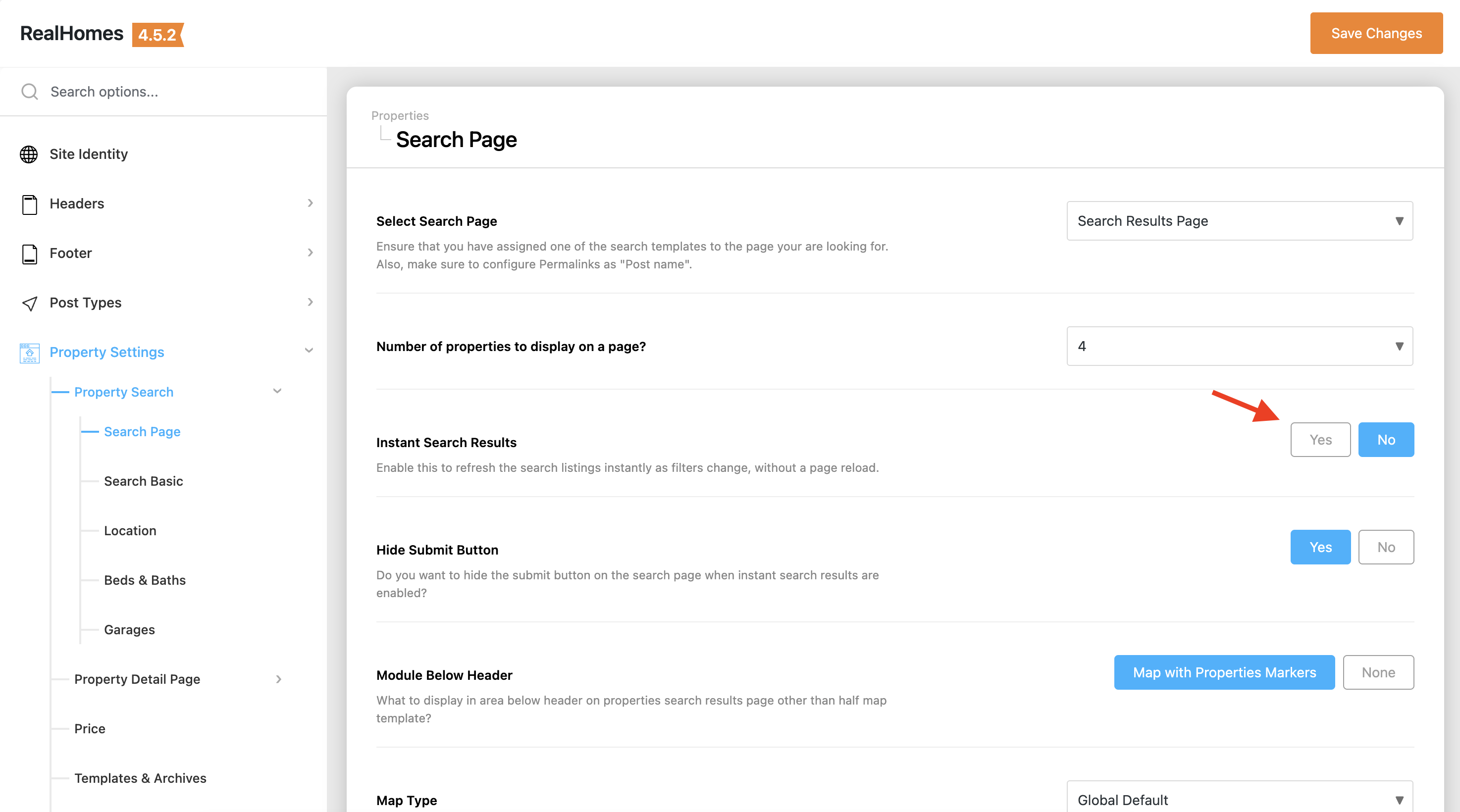
- Navigate to Dashboard → RealHomes → Settings → Property Search → Search Page.
- Look for the Instant Search Results option.
- Set it to Yes.
Hide Submit Button (Ultra Design Only)
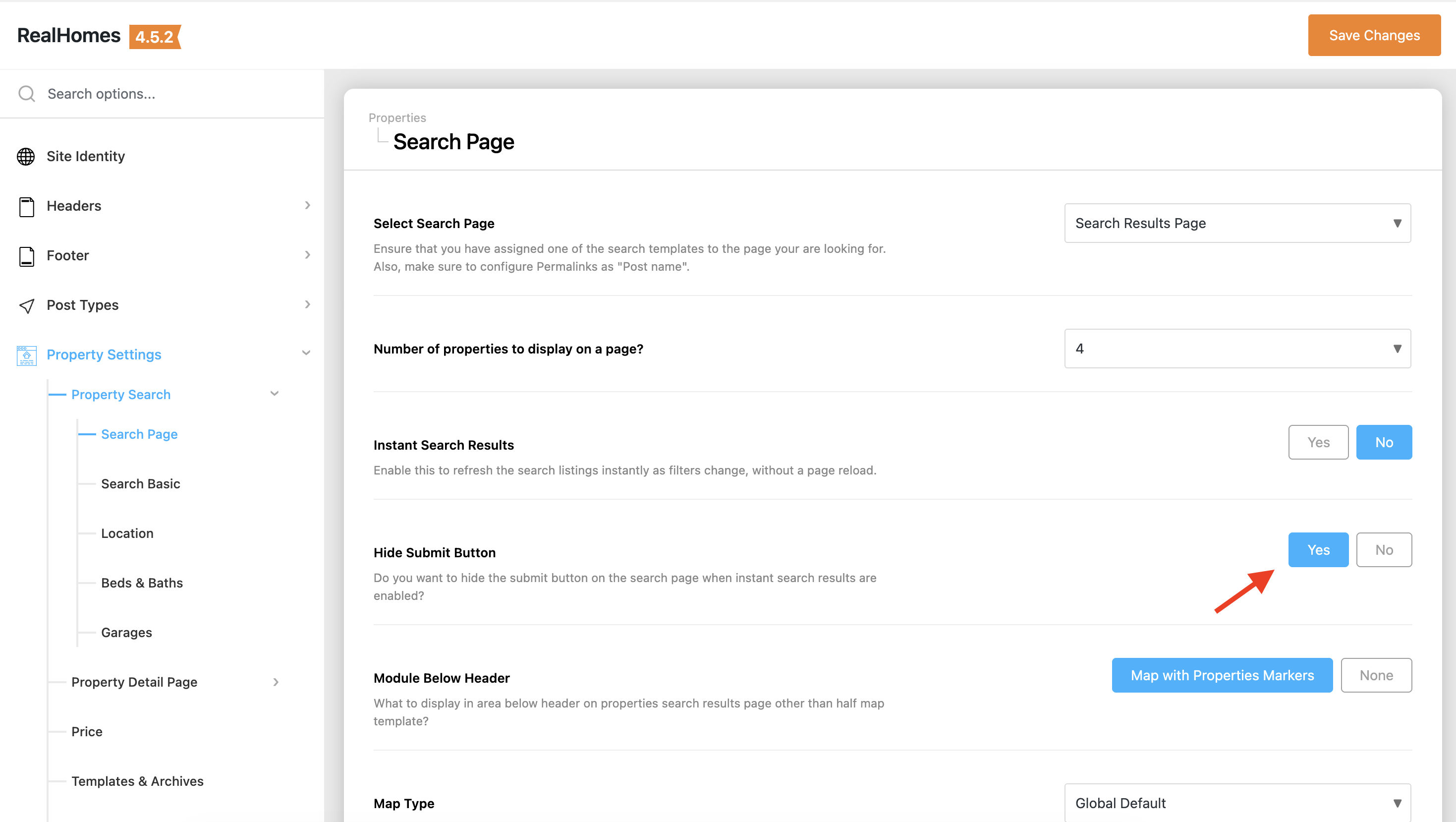
In the Ultra design, you have an additional option to hide the search submit button when Instant Search is enabled. This provides a cleaner look as results update automatically.
- Enable Instant Search Results as described above.
- An additional option Hide Submit Button will appear.
- Set it to Yes if you wish to hide the button.
How it Works
When Instant Search Results is enabled:
- AJAX Driven: The search form uses AJAX to communicate with the server.
- Real-time Updates: As soon as a user selects a value in a dropdown, types in a keyword, or checks a feature, the property listing updates automatically.
- Map Integration: If a map is displayed on the search results page, the markers are also updated instantly to match the new search criteria.
- URL Synchronization: The browser's URL is updated in real-time. This means users can still copy the URL to share their specific search results or use the browser's back and forward buttons to navigate through their search history.
- Smooth Scrolling: After results are updated, the page smoothly scrolls to the top of the listings section to ensure the user sees the new results.
Performance Considerations
Since results are fetched instantly, each change triggers a server request. RealHomes is optimized to handle these requests efficiently, but for the best experience, ensure your hosting environment meets the recommended requirements.