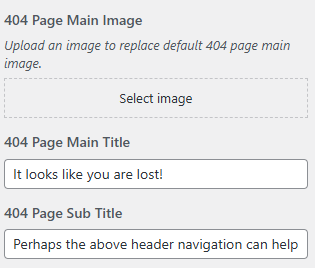
Miscellaneous Settings
To manage various global settings, navigate based on your version of the RealHomes theme:
RealHomes Settings
➤ ➤ ➤
Legacy Settings
➤ ➤ ➤
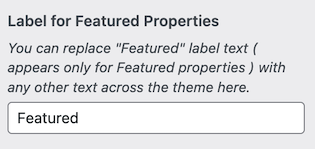
Label for Featured Properties
Customize the label text that appears on featured properties throughout the theme.
Example: Change "Featured" to something like "Top Pick", "Hot", or any term that matches your branding.
RealHomes Settings
➤ ➤ ➤
Legacy Settings
➤ ➤ ➤
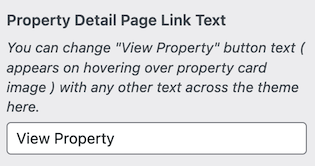
Property Detail Page Link Text
Change the text of the button that links to the property detail page (displayed when hovering over a property card image).
Example: Replace "View Property" with "Explore" or "See Details".
RealHomes Settings
➤ ➤ ➤
Legacy Settings
➤ ➤ ➤
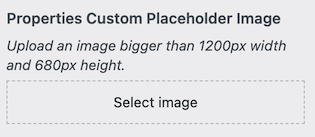
Properties Custom Placeholder Image
Upload a default image to be shown for properties that don't have a featured image.
Recommended Size: At least 1200px width and 680px height.
RealHomes Settings
➤ ➤ ➤
Legacy Settings
➤ ➤ ➤
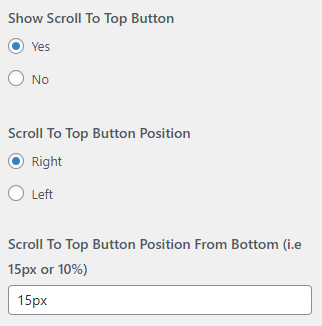
Scroll to Top Button
Manage the visibility and placement of the scroll-to-top button on your website.
- Show Scroll to Top Button: Toggle to enable or disable the button.
- Scroll to Top Button Position: Choose whether it appears on the right or left side.
- Scroll to Top Button Position From Bottom: Set the vertical spacing from the bottom using a value like
15pxor10%.
RealHomes Settings
➤ ➤ ➤
Legacy Settings
➤ ➤ ➤
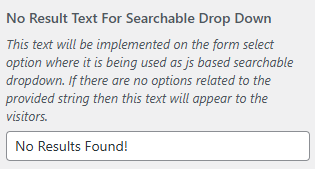
No Result Text for Searchable Dropdowns
Set the fallback text shown when no matching results are found in searchable dropdowns (e.g., location or features).
Example: "No Results Found!"
RealHomes Settings
➤ ➤ ➤
Legacy Settings
➤ ➤ ➤
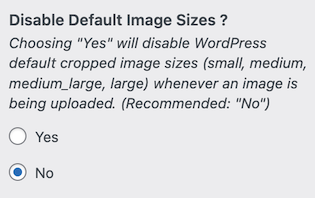
Disable Default Image Sizes
Enable this option if you want to stop WordPress from generating its default image sizes (small, medium, large, etc.) when uploading new images.
Recommended Setting: Keep this disabled (No) unless you have a specific reason to reduce image variants.
RealHomes Settings
➤ ➤ ➤
Legacy Settings
➤ ➤ ➤
404 Page Settings
Customize the appearance and message of the 404 page (shown when a user lands on a non-existing URL).
- 404 Page Main Image: Upload a custom image for the 404 error page.
- 404 Page Main Title: Set the main message (e.g., "It looks like you are lost!").
- 404 Page Sub Title: Add a supporting message (e.g., "Perhaps the above header navigation can help.").
RealHomes Settings
➤ ➤ ➤
Legacy Settings
➤ ➤ ➤