💱 How to Set Up the Currency Switcher
The Currency Switcher feature allows visitors to view property prices in their preferred currency. Powered by the RealHomes Currency Switcher plugin.
🔌 Step 1: Install & Activate the Plugin
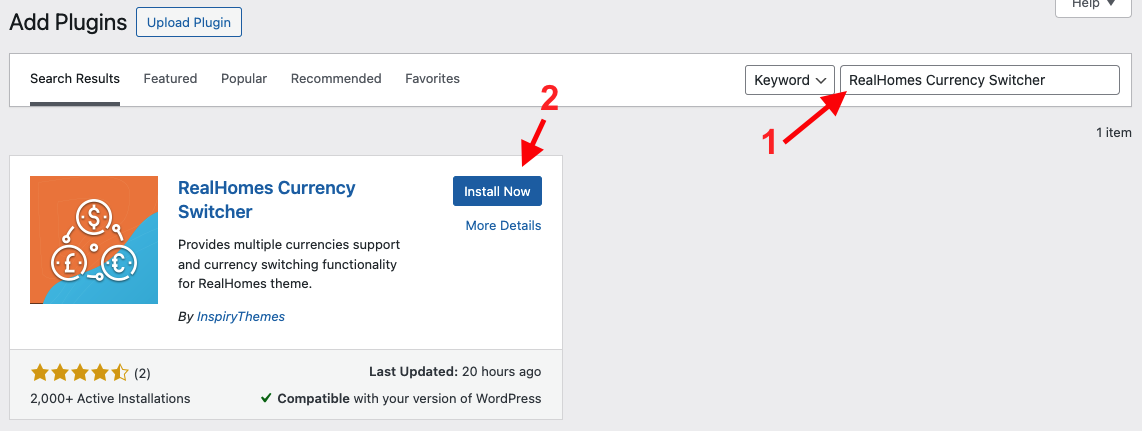
- Navigate to Dashboard → Plugins → Add New
- Search for RealHomes Currency Switcher
- Install and Activate the plugin
⚙️ Step 2: Configure Currency Switcher Settings
After activation, navigate based on your version of the RealHomes theme:
RealHomes Settings
➤ ➤ ➤
Legacy Settings
➤ ➤
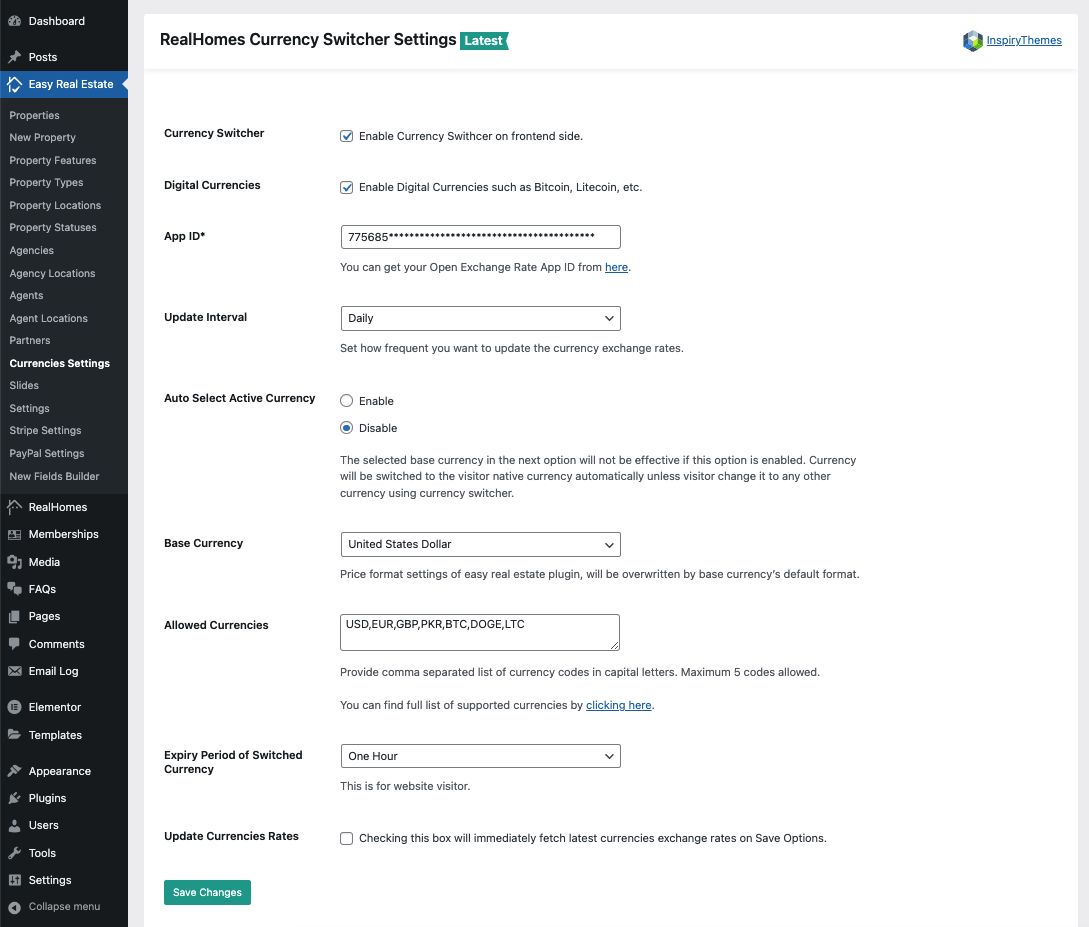
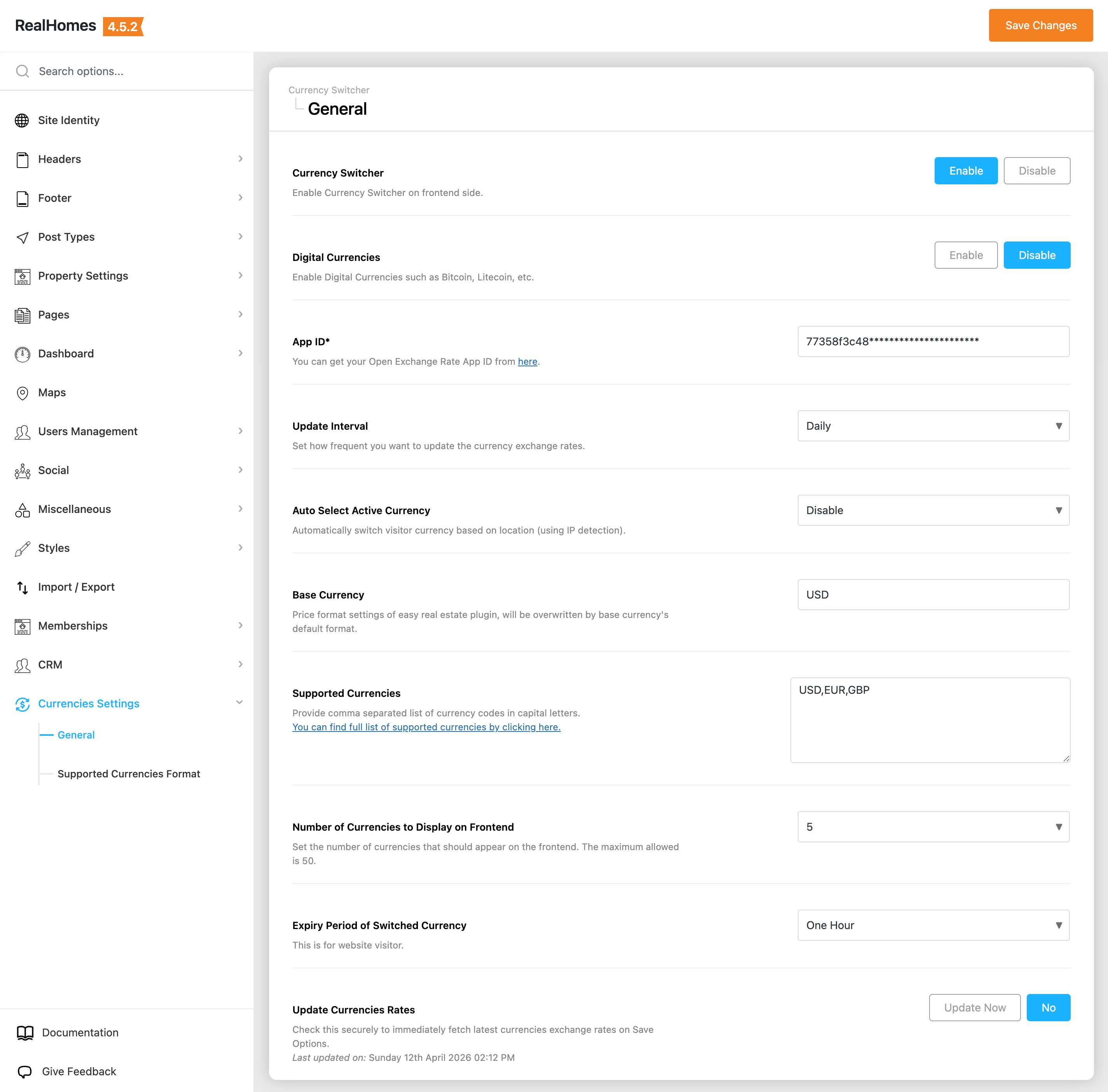
Here you'll find the configuration options:
- ✅ Enable/Disable Currency Switcher
- 🔐 Open Exchange App ID
- 🔄 Update Interval – Define how often exchange rates update
- 💲 Base Currency – Set your website's main currency
- 🌐 Allowed Currencies – Choose which currencies users can switch between
- 💹 Number of Currencies to Display
- ⏱️ Expiry Period – Session duration for selected currency
- 📥 Update Currencies Rates – Manually fetch latest rates
📘 You can also view the complete list of supported currencies by Open Exchange Rates for reference.
💰 Supported Currencies Settings
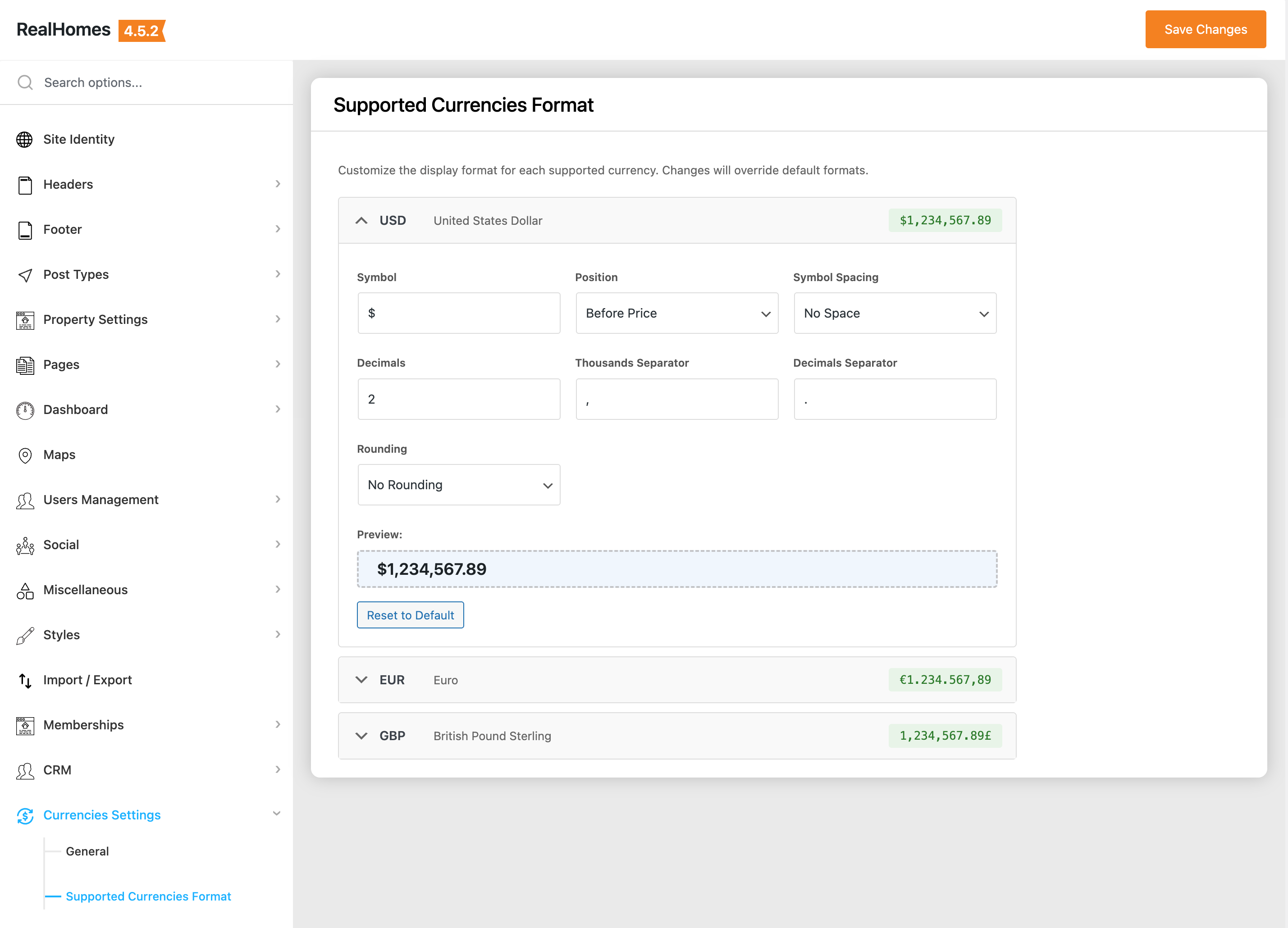
The RealHomes Currency Switcher also provides granular control over how each currency is displayed on the frontend. You can customize the following for every supported currency:
- Symbol – Change the currency symbol (e.g., $, €, £).
- Position – Select whether the symbol appears before or after the price.
- Symbol Spacing – Add or remove space between the symbol and the price.
- Decimals – Set the number of decimal points to show.
- Thousands Separator – Define the character used to separate thousands (e.g.,
,or.). - Decimals Separator – Define the character used for decimals (e.g.,
.or,). - Rounding – Apply rounding rules to the converted prices.
RealHomes Settings
➤ ➤ ➤ ➤
Legacy Settings
➤ ➤ ➤
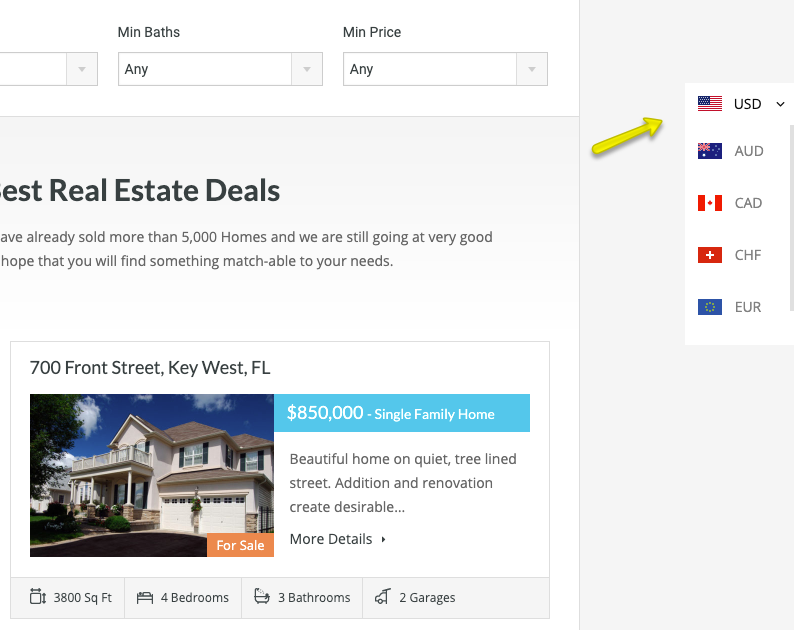
🌍 Step 3: View the Currency Switcher on the Frontend
After configuring, you’ll see a floating Currency Switcher on the right-hand side of your website.
🆘 Need Help?
🙋♂️ Still have questions?
Log in or register on our support platform and submit your query.