Vacation Rentals Setup with Ultra Design
About Vacation Rentals - Ultra
Vacation Rentals for Ultra design is added in RealHomes version 4.2.0 . Make sure you have followed the Installation guide.
Important
Activating Vacations Rental will disable some standard Real Estate features to provide a full property rental portal experience.
Step 1. Install and Activate Vacation Rentals Plugin
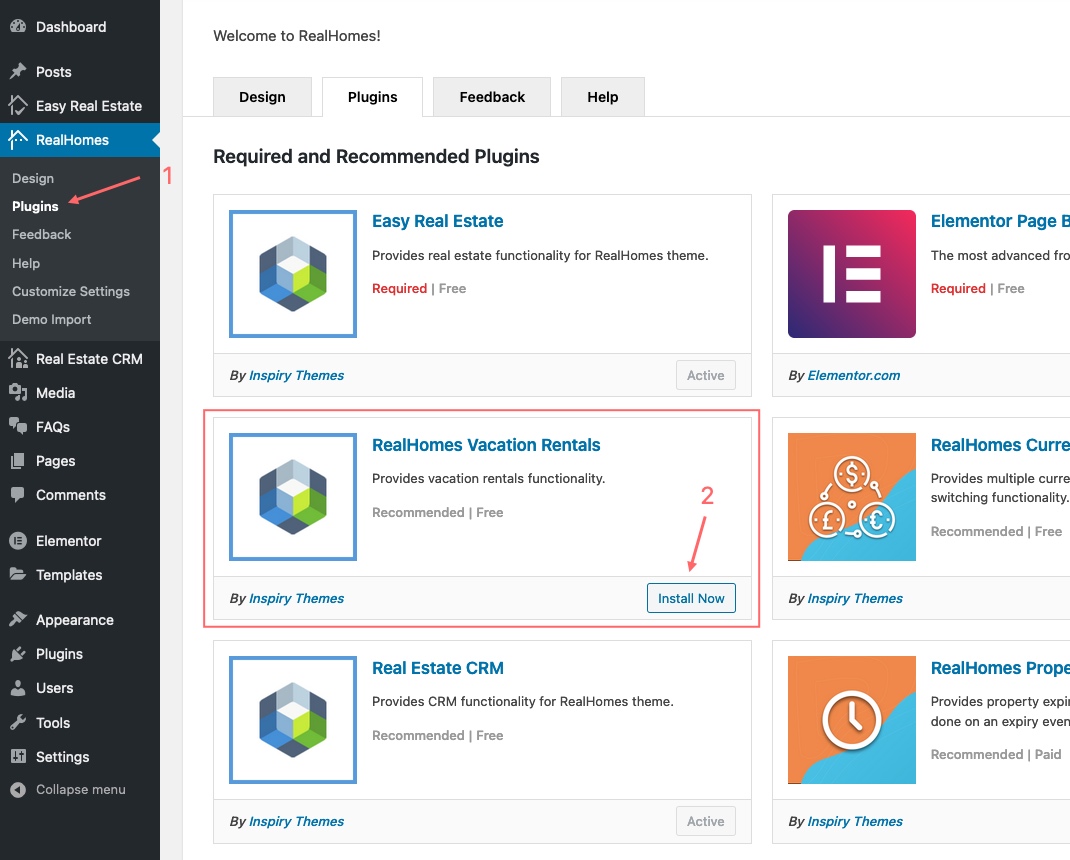
Navigate to Dashboard → RealHomes → Plugins and install RealHomes Vacation Rentals. After installation, click Activate.
Step 2. Configure Vacation Rentals Plugin Settings
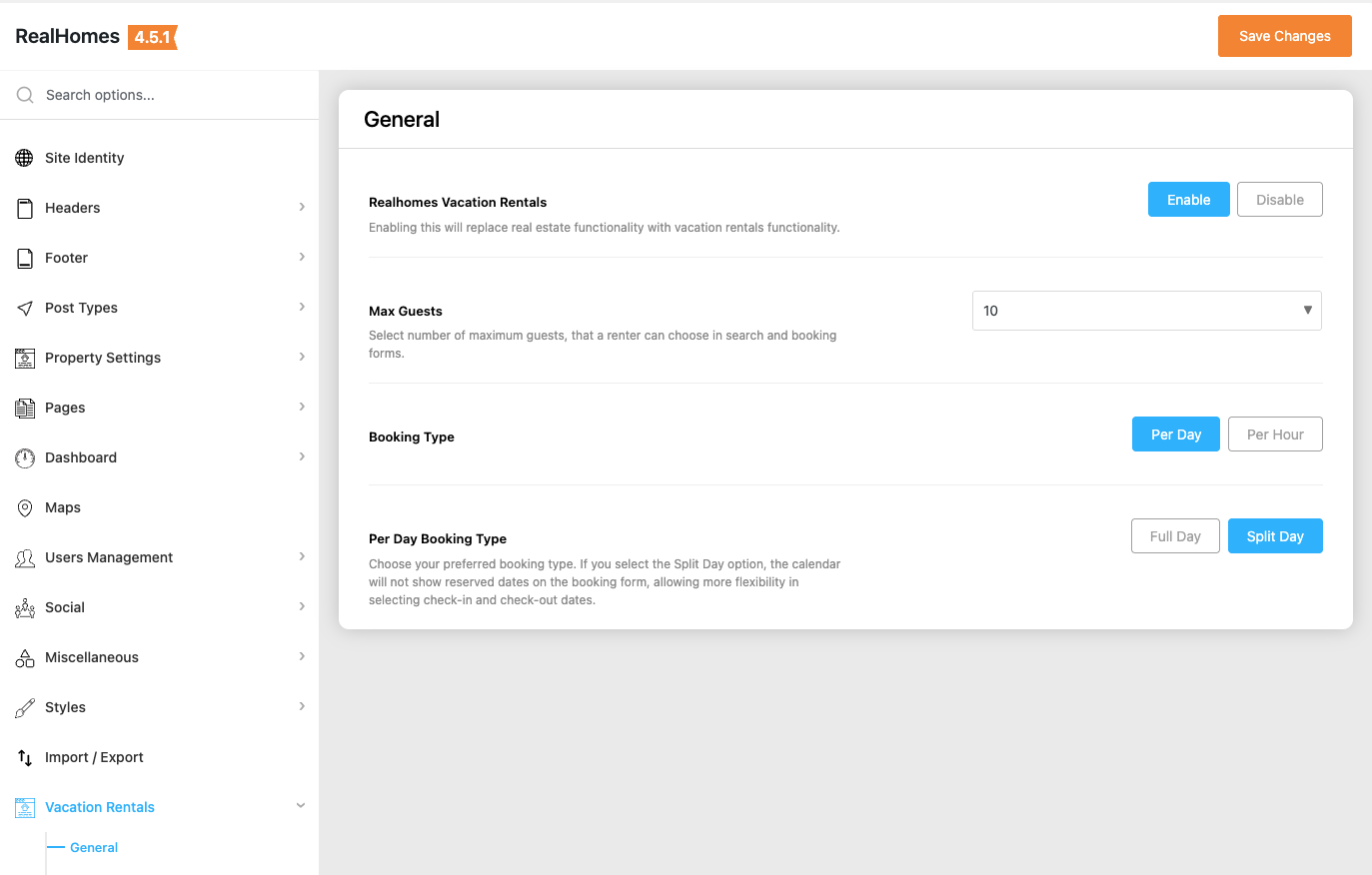
To configure Vacation Rentals settings, navigate based on your version:
RealHomes Settings
➤ ➤ ➤
Legacy Settings
➤ ➤
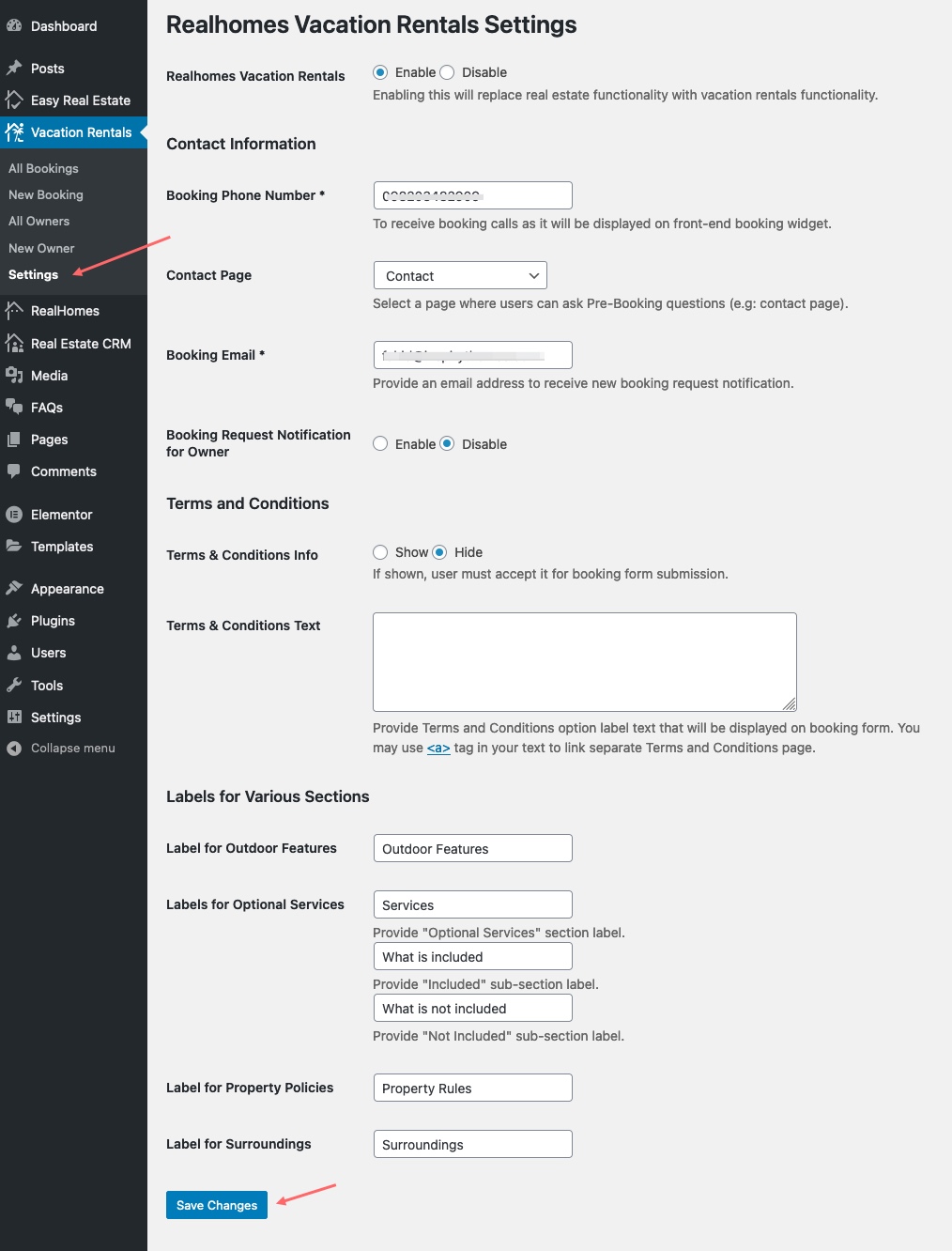
You can configure the following:
- Enable/Disable Vacation Rentals
- Contact Information (Phone, Contact Page, Booking Email)
- Booking Notification for Owner
- Terms and Conditions
- Property Sections Labels
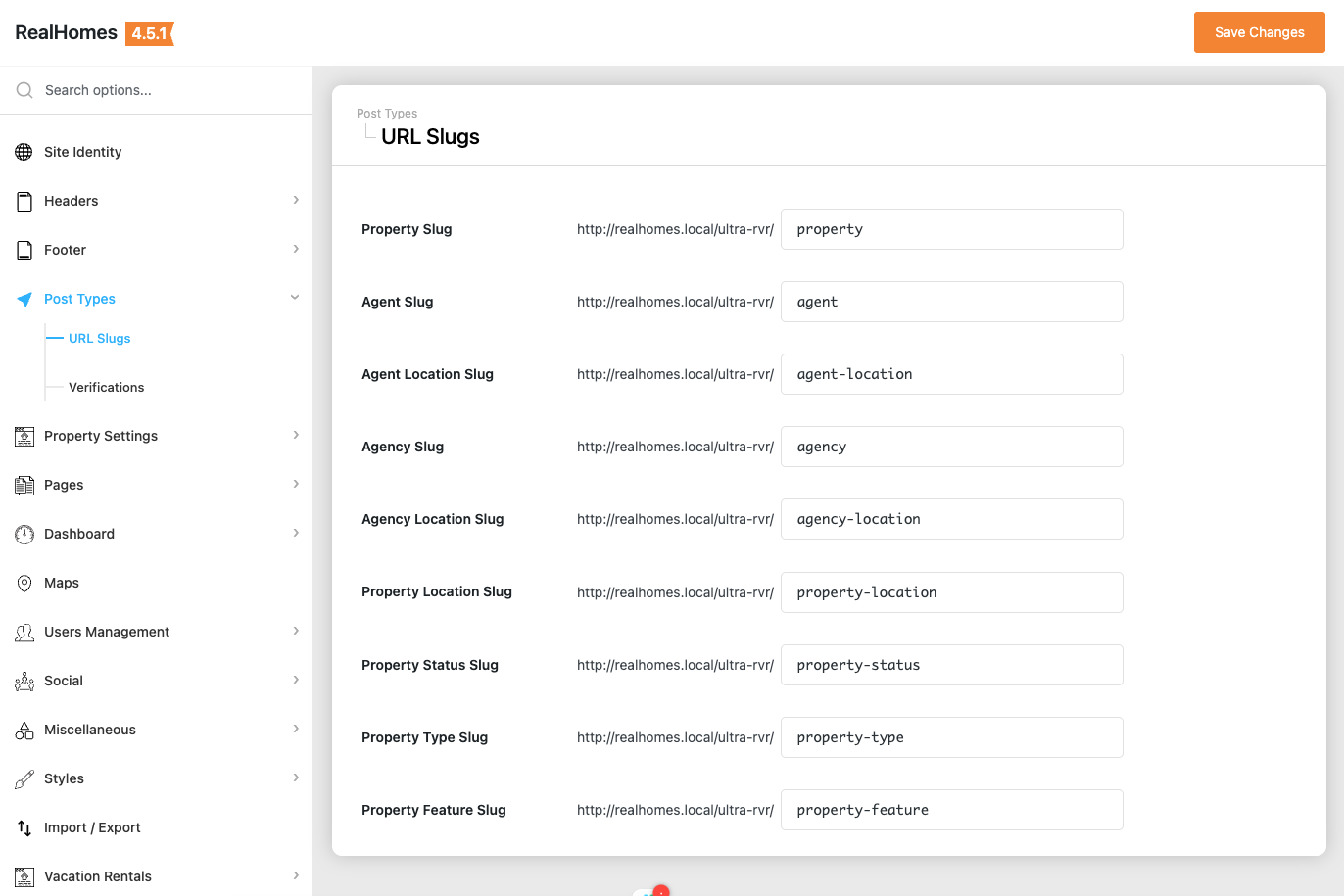
Step 3. Configure URL Slugs
To change URL Slugs, navigate based on your version:
RealHomes Settings
➤ ➤ ➤
Legacy Settings
➤ ➤ ➤
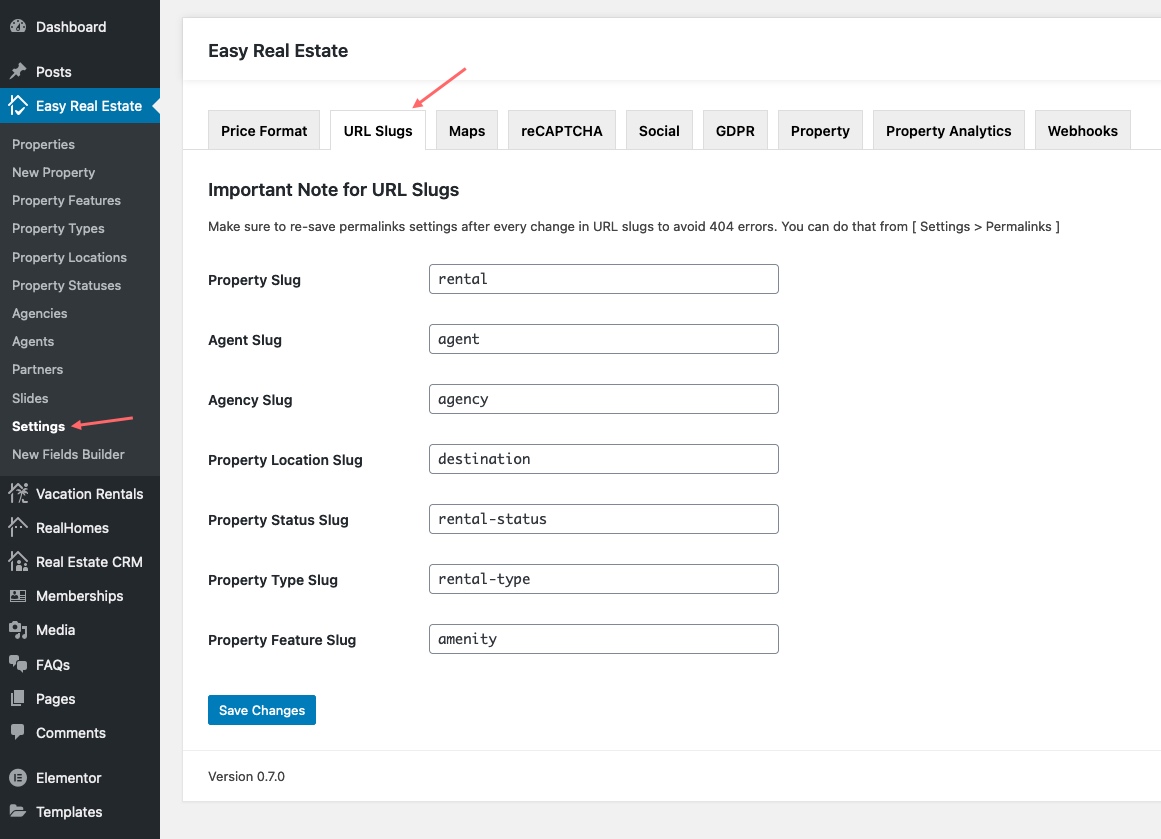
Step 4. Save Permalinks Settings
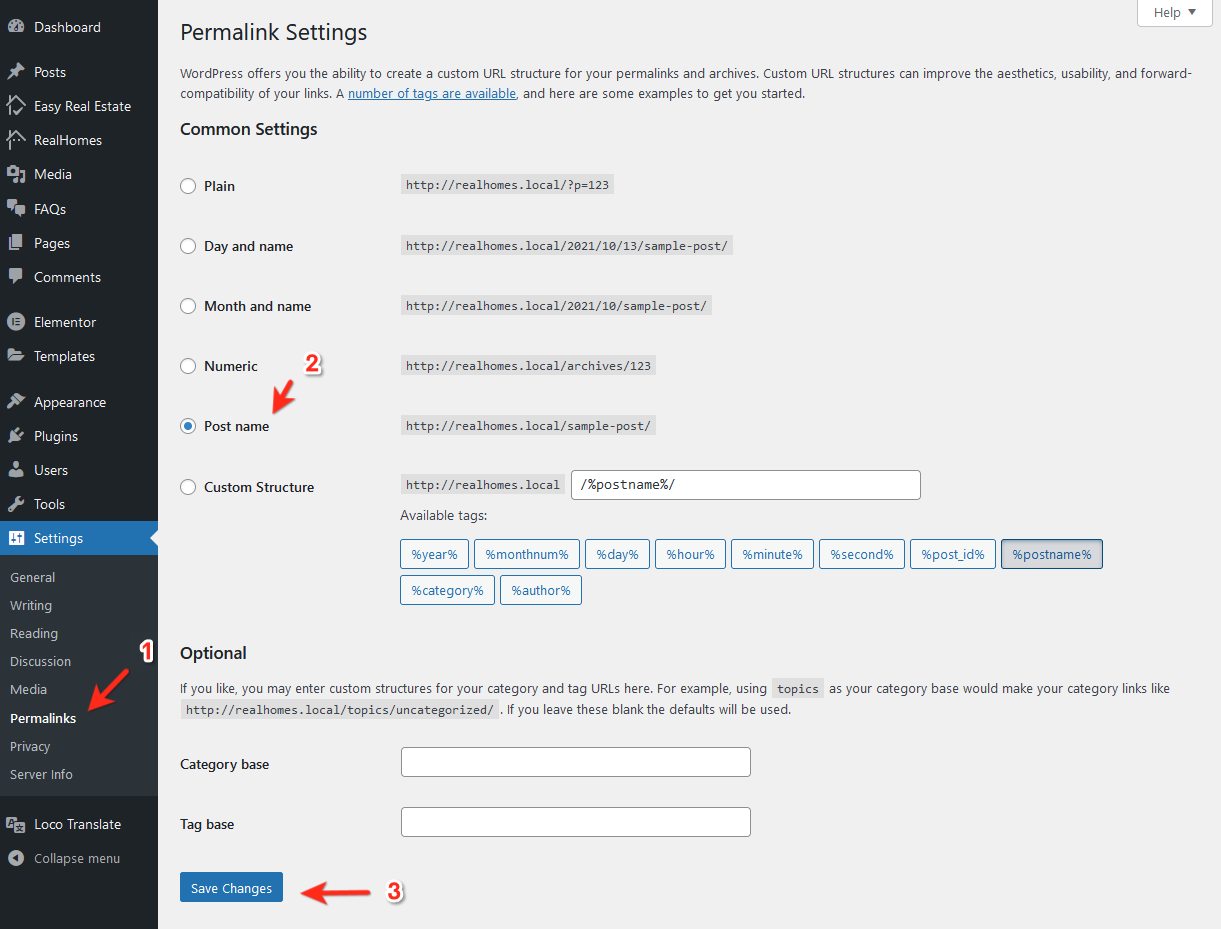
Go to Dashboard → Settings → Permalinks, choose Post name, and save changes to avoid 404 Errors.
Step 5. Import Vacation Rentals Demo Data
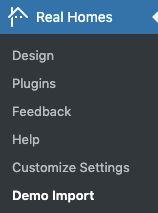
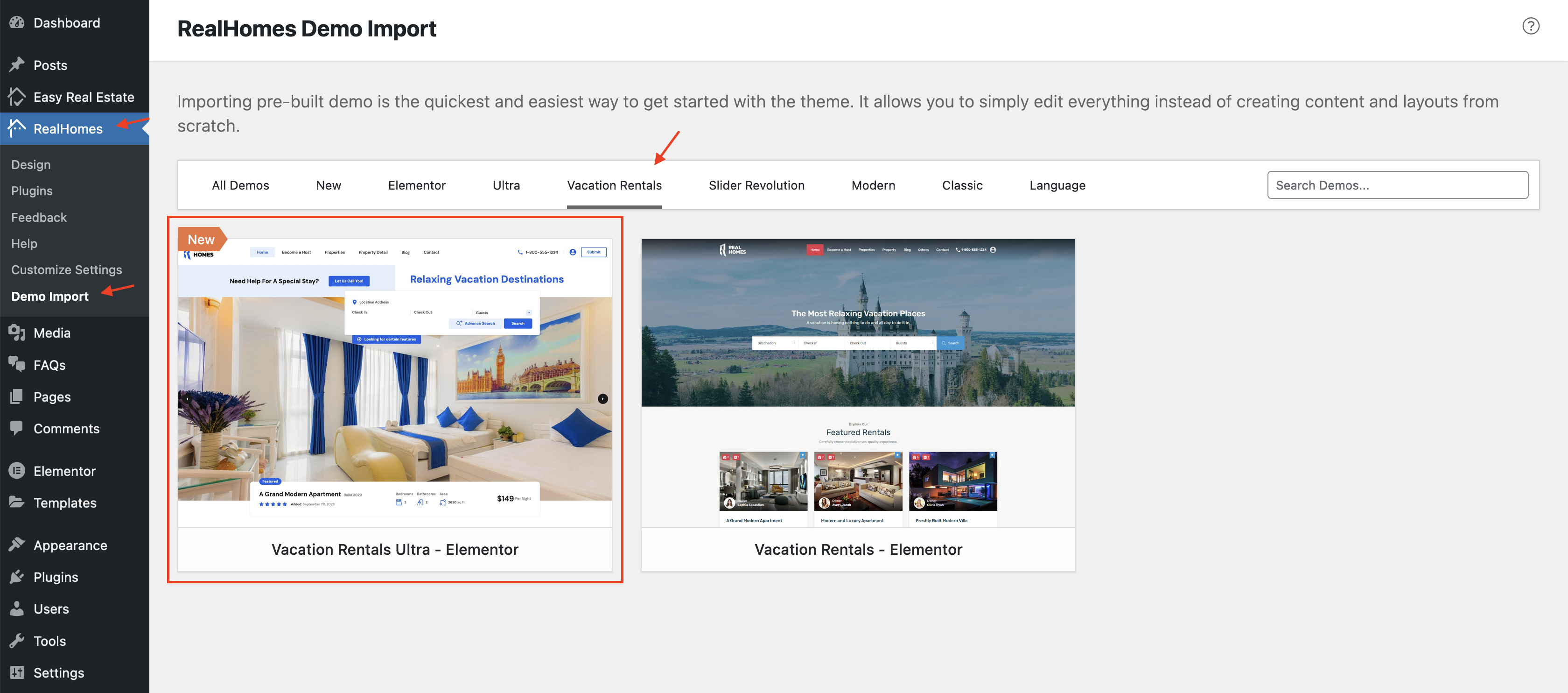
Go to Dashboard → RealHomes → Demo Import and click on the Vacation Rentals label to find related demos.
Click Import Demo for Vacation Rentals - Elementor and follow prompts.
Important
If the process doesn't complete, simply try again.
Visit your site to see it in action.
For assistance, please visit our support website.